During the Meanwhile

Herko Coomans' personal weblog. Est. 1996.

Blog

  • Playing with AI on my own machine, revisited Part 2 — The architecture: a library that thinks before it answers

    This is the second in a multi-part series on building a local AI knowledge engine for digital health policy. Part 1 covered the why and the hardware. This part covers the how.


    I promised in Part 1 that I’d explain the architecture without resorting to jargon, then immediately admitted I’d probably fail. I’m going to try anyway. The two ideas at the core of this project — Cog-RAG and Mymory — are genuinely interesting, and I think they’re worth understanding even if you’re not planning to build something similar yourself. Because they reveal something about how AI systems can be made to be careful, rather than just fast.

    The problem with ordinary RAG

    Most AI systems that work with documents use something called RAG — Retrieval Augmented Generation. The idea is simple: when you ask a question, the system searches your document collection for relevant chunks, stuffs those chunks into the prompt as context, and the language model generates an answer based on what it found. It works reasonably well for simple questions. It fails in interesting ways for complex ones.

    The failure mode I care most about is this: the system finds documents that are about the right topic, but doesn’t distinguish between a binding legal requirement and a think-tank blog post suggesting that someone should probably consider doing something about it. In digital health policy, that distinction is not incidental. The difference between “the WEGIZ requires certified systems for data exchange” and “a 2023 WHO working paper recommends that countries consider certification frameworks” is the difference between a hard constraint and a directional aspiration. Any useful analysis has to hold those apart.

    Standard RAG doesn’t. It retrieves by semantic similarity, which is about meaning — and “certification frameworks” has similar meaning in both sentences. The authority of the source is invisible to the embedding.

    Cog-RAG: thinking before searching

    The approach I’ve borrowed from a 2024 arXiv paper is called Cog-RAG — Cognitive RAG. The key idea is that retrieval should happen in two stages, not one. In the first stage, the model thinks about the question: what kind of source would actually answer this? What topics does this touch? What authority level matters here? In the second stage, it uses those inferences to run a more targeted search — not just “find documents about certification” but “find documents about certification that are legislative in nature and are Dutch baseline anchors.”

    In practice this means building a structured retrieval system that can query different layers separately. For the GDHL, those layers are: the legal graph (Dutch law, article by article), the policy document corpus (what countries say about what they’re doing), and the candidate ontology terms (emerging concepts that don’t yet have a home in the taxonomy). The bridge between AnythingLLM and these layers is a small FastAPI service that orchestrates the two-stage retrieval and assembles the context before it reaches the model.

    It’s more plumbing than magic. But the plumbing matters.

    Mymory: a library with institutional memory

    The second idea is more interesting, and harder to explain. I found it in a Medium post by Micheal Lanham that pointed to a GitHub project called Mymory — it’s a small framework for giving AI systems a form of governed memory, structured as a directed acyclic graph. The idea is that instead of just storing documents, you store relationships between documents over time — and you flag when new information contradicts what the system believed before.

    For my purposes, this translates into something concrete: the GDHL maintains a set of Dutch baseline anchors — the canonical positions, the binding legal requirements, the established NL policy stances. Every new document that comes in — a French strategy, an OECD report, an Australian interoperability roadmap — gets compared against those anchors. If it diverges significantly, the system flags it. Not necessarily because the foreign position is wrong, but because the divergence is informative. That’s where the interesting policy questions live.

    The memory component also tracks something I’m calling entropy: when a series of new documents starts pulling the semantic centre of a topic cluster away from the Dutch baseline, it means something is changing in the international landscape. That’s a signal worth surfacing, not averaging away.

    Five laws, 215 articles

    One of the design decisions I’m most pleased with — in retrospect, it was obvious, but it didn’t start out that way — is treating Dutch healthcare law as a first-class element of the knowledge base, not just another set of documents.

    The GDHL ingests five Dutch healthcare acts directly from their XML source files on wetten.overheid.nl: the Wgbo (patient rights), Wabvpz (health data processing), Wkkgz (quality and complaints), the UAVG (the Dutch implementation of the GDPR), and the WEGIZ (electronic data exchange in care). That’s 215 individual articles, each stored and indexed separately, with all their cross-references between them mapped as edges in a graph.

    This means that when the system encounters a phrase like “certified according to the applicable standard for data exchange” in a foreign document, it can trace that back to WEGIZ Article 1.4 and from there to Wkkgz Article 1 and the definition of “good care” on which the whole chain depends. The legal architecture of Dutch health data policy is not just described in the system — it’s modelled in it.

    The cross-reference graph, by the way, turns out to be informative on its own. WEGIZ references 12 other Dutch laws. Wabvpz references WEGIZ, Wkkgz, and the UAVG. The UAVG references the GDPR directly (an EU regulation, so it sits outside our Dutch law graph). You can see, just from the reference structure, that Dutch health data law is built in layers: patient rights at the base, data processing rules on top of that, quality obligations on top of those, and WEGIZ sitting at the intersection of all of them, mandating the how of the exchange that the other laws mandate the why of.

    Two models, not one

    The system uses two language models, for different tasks. phi3.5:3.8b — a small, fast model — handles the mechanical extraction work: reading a document and producing structured metadata about it. What country is this from? What year? What topics does it cover? What is the document type? It handles this well enough, quickly enough, that I can process hundreds of documents in a reasonable time.

    qwen2.5:14b — a larger, multilingual model — handles the harder tasks: finding policy concepts that aren’t yet in my taxonomy, comparing documents against the Dutch baseline for divergence, and producing the final answers to policy questions. It’s slower, but the quality difference is real. I spent an afternoon trying to get the small model to do what the big one does. It can’t.

    There’s also nomic-embed-text, which converts documents to numerical vectors for semantic comparison. This is the component that makes it possible to ask “show me all documents similar to this WEGIZ implementation guide” without having to specify exactly what you’re looking for.

    All three models run locally, on the MacBook, on a chip that charges itself from a wall socket that draws roughly what a bright light bulb draws. I find this mildly astonishing every time I run a query.

    Privacy by construction

    I want to be explicit about this, because it’s the non-negotiable design constraint that everything else is built around. The system is, technically, incapable of sending my documents to an external server. The Ollama client that handles all model calls is explicitly bound to localhost:11434 in the configuration. If that address is ever changed to point at a remote host, the scripts refuse to start. It’s not just a policy — it’s a check that runs at startup, every time.

    The only network call the system makes is to the GitHub releases API, once, when you run the setup script, to check whether your tools are current. That call contains no document content. Everything else stays on the machine.

    This matters for the documents I’m working with. Some of them are working papers. Some are draft ministerial letters. Some are internal analyses that haven’t been published. They’re not classified, but they’re not meant to be fed into a commercial AI service either. The local-only constraint is what makes it possible to put all of them in the system without having a conversation with the security officer first.

    What’s next

    Part 3 is about what I actually learned from running this thing against 155 Dutch policy documents. There are some surprises. The most interesting finding isn’t about the policy documents themselves — it’s about the gap between what we thought we knew and what the system found. That’s for next time.

  • Playing with AI on my own machine, revisited

    A three-part series on building a local AI knowledge engine for digital health policy — privately, on my MacBook. Posted in During the Meanwhile, following up on the Synology experiment from November 2024.


    Part 1 — From a failed NAS to a working MacBook

    Some of you may remember my earlier attempt to run a local AI instance on my Synology NAS. It failed, spectacularly, because the Celeron CPU in the DS920+ doesn’t support AVX2 instructions and the whole vector-database stack that modern RAG systems depend on just refuses to run without them. I wrote it up, shrugged, and shelved the idea.

    Well. A new MacBook Air arrived on my desk. The M4 one, with 24GB of unified memory. And suddenly the hardware excuse was gone.

    So I picked the project back up. But this time with a much clearer goal than “let’s see if I can run an LLM at home.” This time I actually had a real problem to solve.

    The problem: keeping up with the world, manually

    My day job at the Ministry of Health is in international digital health. A big part of that is staying on top of what other countries are doing — what policies they’re passing, what standards they’re adopting, where they’re ahead of us, where they’re behind, and where they’re taking an entirely different route. I read a lot of policy documents. PDFs, white papers, ministerial decrees, European directives, WHO frameworks, OECD reports. In Dutch, English, French, German. Sometimes I want to answer a question like “what is the current state of interoperability legislation in France, and how does it compare to the Dutch WEGIZ?” and I have to go dig through folders of documents to construct the answer.

    This is the kind of thing an AI should be good at. And it is — but not the cloud kind. I am not going to paste ministry working documents into ChatGPT. I am not going to paste them into Claude either, or into Gemini, or into any other service whose data policy I don’t fully control. (Quick plug for my earlier series on data sovereignty: the whole point is to not feed trusted-third-party algorithms with data I don’t want to give them.)

    So: it has to be local. Fully local. The documents stay on my machine. The analysis stays on my machine. No network calls during normal use. The only time my laptop is allowed to reach out to the internet is when I ask it to check whether one of my tools needs an update — and even then it’s only hitting the GitHub releases API, not sending my documents anywhere.

    Why the MacBook Air M4 actually works

    The short version: Apple Silicon’s unified memory architecture is quietly brilliant for running quantised language models. The M4 chip with 24GB of RAM gives me about 200 GB/s of memory bandwidth, which is why a 14-billion-parameter model in Q4 quantisation runs faster on this thing than it would on a comparably-priced discrete GPU. And it does it without spinning up fans, without drawing 300W, and without my wife asking what I’m mining in the study.

    The memory budget works out like this:

    • qwen2.5:14b — the main analytical model, multilingual, handles NL/EN/FR/DE natively — about 9 GB
    • phi3.5:3.8b — a smaller, faster model I use for mechanical extraction tasks — about 2.3 GB
    • nomic-embed-text — embeddings for comparing documents to each other — about 300 MB
    • Supporting stuff (the graph database, the SQLite files, Python, AnythingLLM itself) — maybe 5 GB
    • Remaining headroom: about 7 GB

    So we’re comfortably inside the envelope. With a bit to spare for the browser tabs I’ll inevitably leave open.

    What I actually want to build

    I want a library. A proper, old-fashioned library, with a bit of a cataloguing obsession, but run by a slightly distracted librarian who reads everything that comes in and writes down what it’s about — and who, crucially, remembers what the Dutch position is on every topic, so that every new document gets silently compared against it. Over time this library becomes not just a pile of documents but a structured picture of what each country thinks about each aspect of digital health, and where they agree or diverge from us.

    I’ve given it a name: the Global Digital Health Library, or GDHL. (Yes, I know, I am very good at naming things. Next week I’ll name my plants.) It’s named after the shelves of policy documents I already have, physically and digitally, and the ambition to do something more useful with them than just file them.

    What’s coming next

    In Part 2 I’ll walk through the architecture. There are two interesting ideas at the core of it, borrowed from recent research: Cog-RAG, which is a way of teaching the retrieval step to think before it searches, and Mymory, which is a way of giving the system a form of persistent memory with governance attached — so that over time it doesn’t just accumulate noise, but actually learns which positions are authoritative and flags when something new contradicts them. I’ll try to explain both without resorting to jargon, though I’ll probably fail.

    In Part 3 I’ll reflect on what I’m learning from actually using this thing. Which, as always when I build anything for myself, is turning out to be a lot about how policies actually work, much more than about how the code works.

    Stay tuned.

  • Playing with AI on my own machine

    As I delved into the world of AI and machine learning, I knew I wanted to take things into my own hands. Literally. Instead of relying on cloud-based services or remote servers, I decided to set up a local Large Language Model (LLM) instance on my Synology NAS.

    Step 1: Selecting the Right Tools

    My goal is to experiment with large language models for text analysis and generation, specifically in the context of digital health policy analysis. I want to explore how these models can be used to identify trends, patterns, and insights from large datasets of health-related texts.

    In my search for suitable tools, I came across three options: h2o.ai, Jan.AI, and AnythingLLM. Each has its own strengths and weaknesses, which I’ll outline below:

    • h2o.ai: H2O is a machine learning platform that provides pre-trained models for various NLP tasks, including text classification, sentiment analysis, and language modeling. Its benefits include ease of use, flexibility, and scalability. However, it may not be as comprehensive as other options.
    • Jan.AI: Jan.AI is an AI-powered research platform that enables users to analyze and generate text based on large datasets. It offers features such as natural language processing, entity recognition, and topic modeling. Its benefits include ease of use, speed, and scalability. However, it may not be as customizable as other options.
    • AnythingLLM: AnythingLLM is an open-source LLM framework that allows users to train and fine-tune their own models for specific tasks. Its benefits include customization, flexibility, and adaptability. However, it may require more technical expertise and computational resources.

    Comparing these tools with my use case requirements:

    • h2o.ai: While h2o.ai provides pre-trained models, they may not be tailored to the specific task of digital health policy analysis.
    • Jan.AI: Jan.AI is easy to use and scalable, but it may not offer the level of customization I need for my specific use case.
    • AnythingLLM: AnythingLLM offers customization and flexibility, which aligns with my requirements.

    I decided to opt for AnythingLLM due to its ability to be customized for my specific use case. However, before setting up AnythingLLM, I also considered the importance of data privacy and security.

    Step 2: Preparing My Synology NAS

    Before setting up the LLM instance on my NAS, I needed to upgrade the RAM. According to the Reddit community, upgrading the DS920+ with 16GB of RAM is possible, but requires careful attention to the specific requirements for the RAM module.

    To upgrade the RAM, you will need:

    • RAM Module: The Synology DS920+ supports up to 32GB of RAM, but only in specific configurations. You can use a single 16GB DDR4 SO-DIMM module or two 8GB DDR4 SO-DIMM modules.
    • Frequency and Voltage: The RAM module must have a frequency of 2400MHz and a voltage of 1.2V.
    • Timings: The RAM module must support the following timings: CAS Latency (CL) 16, RAS to CAS (tRCD) 10, Write Recovery Time (tWR) 20.

    Failure to meet these requirements may result in compatibility issues or even damage to the NAS. Make sure to check the specifications of your RAM module before upgrading.

    Step 3: Setting Up AnythingLLM

    After installing Docker on my NAS, I focused on setting up AnythingLLM. According to the official documentation, the installation process involves several steps:

    1. Pulling the Docker Image: Run the command docker pull anythingllm/anything-llm to pull the latest version of the AnythingLLM Docker image.
    2. Creating a New Container: Run the command docker run -d --name anything-llm -p 3001:3001 anythingllm/anything-llm to create a new container and map port 3001 to the host machine.
    3. Configuring the Environment Variables: You need to set up environment variables for the LLM instance, such as LLM_ MODEL and LLM_TOKEN. You can do this by adding the following lines to your docker-compose.yml file:
    version: '3'
    services:
      anything-llm:
        image: anythingllm/anything-llm
        ports:
           - "3000:3000"
        environment:
           - LLM_MODEL=your-model-name
           - LLM_TOKEN=your-token
    1. Running the Container: Run the command docker-compose up to start the container and make it available on port 3001.

    Loading LLM Models

    After setting up AnythingLLM, I encountered another challenge:

    • Challenge 4: Loading LLM Models into Ollama: To load the desired LLM models into Ollama, I had to SSH into the Docker instance and set up secure access rights for my NAS. Once I did this, I was able to load the Llama3.2 3b model into Ollama.

    The Failure

    Unfortunately, after completing these steps, I discovered that the system as I set it up does not work. According to an issue report on GitHub (https://github.com/Mintplex-Labs/anything-llm/issues/1331), there is a known bug in the AnythingLLM Docker image that prevents it from loading LLM models correctly.

    As I delved deeper into the issue, I discovered that the problem wasn’t with the LLM model loading or processing, but rather with the underlying hardware requirements of AnythingLLM. Specifically, it relies on a database called Lancedb, which has specific CPU requirements.

    What is Lancedb?

    Lancedb is a high-performance database designed for large-scale natural language processing tasks. It’s used by AnythingLLM to store and manage its models, allowing for efficient querying and retrieval of information. However, Lancedb requires a specific set of CPU instructions to function properly.

    AVX (Advanced Vector Extensions)

    AVX is a set of instructions introduced by Intel in 2011 that enables CPUs to perform complex vector operations more efficiently. It’s designed to improve the performance of scientific simulations, data compression, and other compute-intensive tasks. AVX allows for wider registers, which can store multiple sets of data simultaneously, making it possible to perform calculations on large datasets more quickly.

    AVX2 (Advanced Vector Extensions 2)

    AVX2 is an extension of the original AVX instruction set, introduced by Intel in 2013. It offers improved performance and functionality over its predecessor, with support for additional instructions and features. AVX2 enables CPUs to perform even more complex vector operations, making it essential for many modern applications, including machine learning and data science.

    The Issue

    The problem arises because the Synology NAS’s Intel Celeron 4125 processor does not support AVX or AVX2 instructions. This means that the Lancedb database, which relies on these instructions to function, cannot be used with this hardware configuration. As a result, the Docker image crashes and fails to start, causing the AnythingLLM instance to stop working.

    Conclusion

    In conclusion, the failure of the AnythingLLM instance was due to the CPU requirements of Lancedb, which demands support for AVX2 instructions. Unfortunately, the Synology NAS’s hardware does not meet these requirements, making it incompatible with Lancedb and preventing the Docker image from running successfully. This highlights the importance of considering the specific hardware requirements of software applications when setting up complex systems like LLMs.

  • Taking control over my own data

    Taking control over my own data

    A lot of my work at the Ministry of Health focusses on empowering people/citizens/consumers/patients/experience experts/health professionals to be able to take control over their own (health) data. Now, that sounds like a noble cause, not something you’d disagree with on the face of it, but tricky to imagine the transition to a world where you do actually control your own data. So I thought, let’s see if I can get some basic control over my own data, and see what the experience actually is.

    Now, you have to understand that I don’t have a lot of data myself (I hear you thinking: Hah, what a naive fool! The big data companies, ad trackers and many more have tons of data on you! and you’re right about that), so I wanted to see what I could do myself. And let me tell you: it isn’t easy to manage your own data.

    Follow my experiment

    I’ll write about my progress over time, as I go about discovering what I need to do to get control over my own data. For me it’s about the learning curve, about sharing my experiences with people who might have the same ambition and about having the tools that fit this ambition.

    What data do I have, anyway?

    There’s several kinds of data that I ‘have’:

    I have websites, I have e-mails, documents, video’s, photo’s, backups etc. -basically the regular stuff that I actively manage using several ‘free’ and commercial services already. These I’ll call the known known data, it’s where I’m aware that I have it and that I actively manage it (or let others manage it for me).

    Than there’s the known unknown data, which is the data I know is out there, but I have no idea’s where it is stored or how it is managed. This is a broad category, so I’ll include social media posts, location data, service usage statistics, other meta-data about me. But I’ll also include my energy usage, medical records and other data that seems to belong to (trusted?) third parties, and may or may not be about me personally, or about the services I use.

    The last category is the unknown unknown data, which is data about me that I have no idea about. This is where my naivity will shine through, but also where more awareness is likely necessary. In this category I’ll put my search metadata, my mac-address being followed in stores, other types of surveillance, even inclusing captcha.

    So, let’s see if I can take control over ‘my’ data!

    Tools of the nerd: tech stack

    There’s several things to consider in this mission. First of all: what do I mean by ‘take control’? As a nerd, my first response is to be able to manage it in an environment I have complete (or as complete as possible) agency over. And that means: self-hosted.

    So, what do I need for this? I’ll need a server somewhere connected to the Interwebz, and since I want control, it’ll have to be self managed. I could go for the expensive hardware of a self hosted rack server, but my needs are small currently, so I’ll settle for a Virtual Private Server (VPS) solution. Ah, it already has the word private in it, so I’m feeling better already. That feeling evaporates as soon as I realize that I’ll need to learn how to manage a server…

    What services do I need to install and self-manage (boo!) on this private (yay!) server?

    Known known data:

    • Websites/weblogs: I’ve been dabbling with websites since 1993 (yes, I’m that old) and I’ve been a user of the open source WordPress CMS since version 0.7. I love it’s openness and user-friendlyless and the fact that it has a huge ecosystem that provides a lot of support and learning material. I have a number of domains and web projects that I’ve had hosted by the likes of MediaTemple and such, but managing the webserver part myself needs to be easy.
    • E-mail: this is one of my biggest wishes, that for the personal domains I use and the e-mail addresses this provides to me and my family, I’m not only feeding Google’s and Apple’s and Yahoo’s and whatnot’s algorithms, but have complete ownership of my correspondence. But, e-mail is notoriously maintenance-heavy, mainly due to the security risks of having a badly configured and secured mailserver. But, if this is going to be a learning project for me, e-mail shold be part of my stack.
    • Documents, images, video’s: my personal cloud storage for documents. There’s several services dedicated to this, but many monetize your data and your useage of that service as well (like uploading your video’s to youtube, for instance).
    • Backup storage: data I don’t want to lose will need to be backed up somewhere I can access them if necessary.

    Known unknown data:

    This is a tricky category, as a lot of this data it tied to services like Facebook, Apple etc. and are notoriously difficult to detatch. So, in the spirit of ‘taking control over my data’ I’ll be looking into ways to minimize the third party control over my data in their systems and ways to migrate my data from third party services to self-hosted alternatives.

    • Facebook is at the top of my list. Because it’s got a terrible track record, because a lot of the time I’m on it I’m not really enjoying it, and because they’re just evil and I’m enabling their evil by remaining on their services.
    • Amazon is a nice second to look into.
    • Google services, because of their incredible farreaching scope.
    • Apple services. I’m an Apple fanboy and their integration is really tight but user friendly, so this’ll be especially hard.
    • Other services I use(d).
    • Special attention will go to medical data and smart home data. Because this is what I strive to empower everyone to be able to do. So I’ll see what I can do myself.

    So here I’ll look into what (meta)data the services I use gather and store about me, what the level of control is I have over that data, what the alternatives are, whether there are self-hosted alternatives, and what the consequences will be.

    Unknown unknown data:

    In this part I’ll research who has what kind of data points on me, and what I can do to minimize the potential damage that data might do to me and my family, as well as to see what kind of control I can exert on that data.

  • Dutch Digital Health Approach closes 2019 ONC Interoperability Forum

    Dutch Digital Health Approach closes 2019 ONC Interoperability Forum

    In August of 2019 I was graciously invited by Steven Posnack, the US Deputy National Coordinator for Health IT, to participate in a panel discussion as part of the 3rd Interoperability Forum. This is their annual event where everyone who is involved in health data interoperability comes together and hears about the work and plans from the Office of the National Coordinator (ONC) itself. I was honored to accept, with my colleagues Vincent van Pelt and Ruben de Boer. Vincent is an architect at the Dutch national competence center for digital health Nictiz, and Ruben (at the time) was my colleague at the Ministry of Health, Welfare and Sport responsible for our policy on access to health data.

    This was a great opportunity for us to showcase the work that has been done in The Netherlands, especially on providing patients and citizens the tools to access, collect and share their own health data in a secure and trusted way. The podium provided by the national authority on health IT of a country that is dominant in this market -US- means that it validates the direction we are taking. It felt a bit like the mouse asking the elephant to make some noize together, but we grabbed the opportunity to do so.

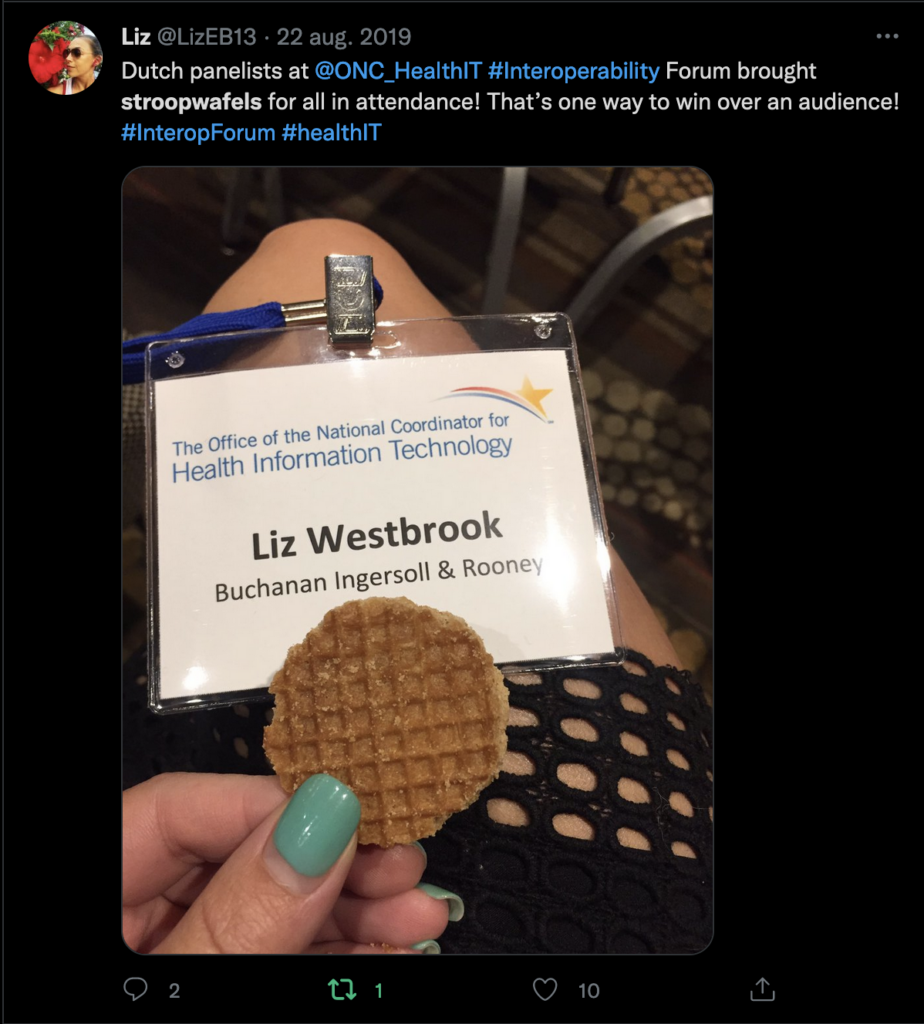
    Oh, and Steven Posnack challenged us to bring Stroopwafels, so we did 🙂

    The ONC livestreamed this panel discussion, with closed captions added.

  • Protected: Aim for the moon, shoot for the stars, part III: the pitch

    Protected: Aim for the moon, shoot for the stars, part III: the pitch

    This content is password-protected. To view it, please enter the password below.

  • Protected: Aim for the moon, shoot for the stars, part II: the Heart of Change

    Protected: Aim for the moon, shoot for the stars, part II: the Heart of Change

    This content is password-protected. To view it, please enter the password below.

  • Protected: Aim for the moon, shoot for the stars, part I: the threads of the weave

    Protected: Aim for the moon, shoot for the stars, part I: the threads of the weave

    This content is password-protected. To view it, please enter the password below.

  • Doctors, Nurses and the Paperwork Crisis That Could Unite Them

    Doctors, Nurses and the Paperwork Crisis That Could Unite Them

    They don’t always get along. But they are both under siege by the bureaucracy of a failing health care system. Ms. Brown is a clinical faculty member at the University of Pittsburgh School of Nursing. Dr. Bergman is a professor of medicine at New York University.

    from Pocket
    via Did you enjoy this article? Then read the full version from the author’s website.

  • Paging Dr. Google: How the Tech Giant Is Laying Claim to Health Data

    Cerner was interviewing Silicon Valley giants to pick a storage provider for 250 million health records, one of the largest collections of U.S. patient data.

    Excellent article rom the Wall Street Journal. Read the full version from the author’s website.